Scriptile
找不到想要的小工具?自己寫。幾行 JavaScript,就能變成主畫面和鎖定畫面小工具,以及「捷徑」動作。毋須帳戶,沒有伺服器。
Can’t find the widget you want? Write it. A few lines of JavaScript become real Home Screen and Lock Screen widgets and Shortcuts actions. No account, no server.
App Store:即將推出App Store: coming soon
// Scriptile
const w = new ListWidget()
const t = w.addText("Hello, Scriptile")
t.font = Font.boldSystemFont(20)
Script.setWidget(w)
Script.complete()
隨心製作小工具
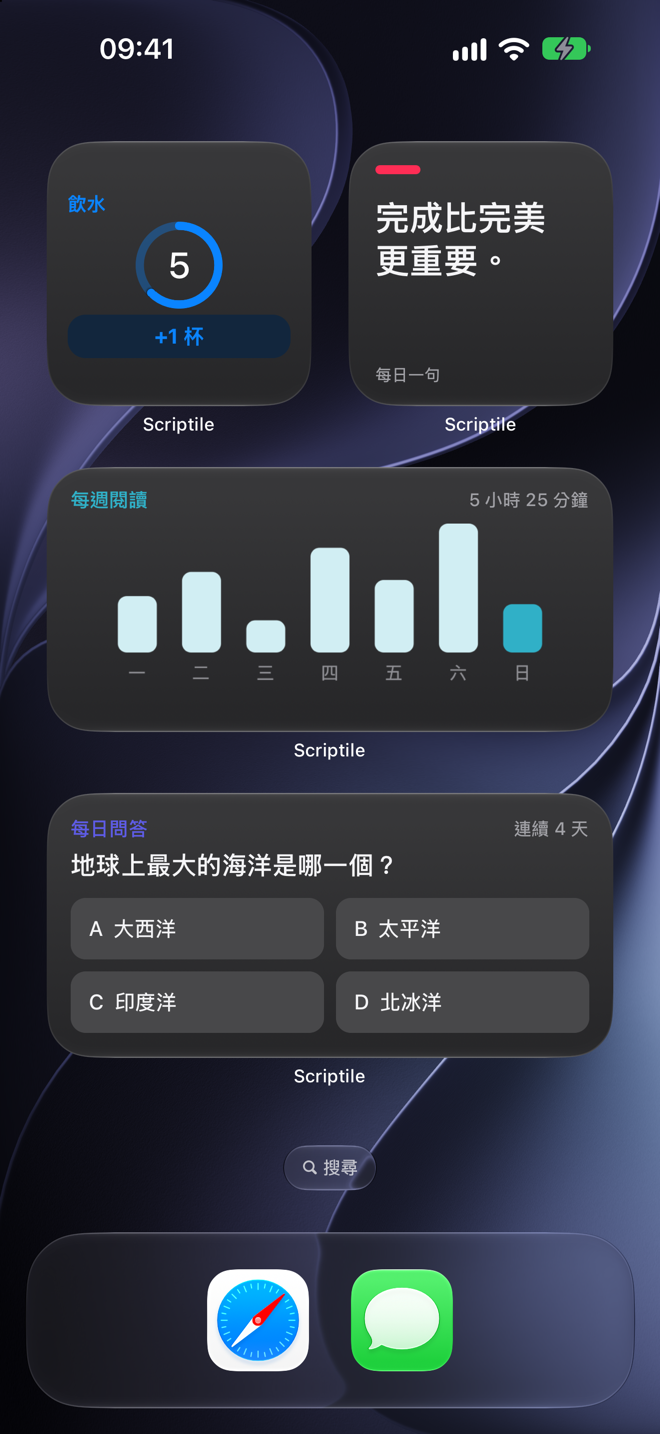
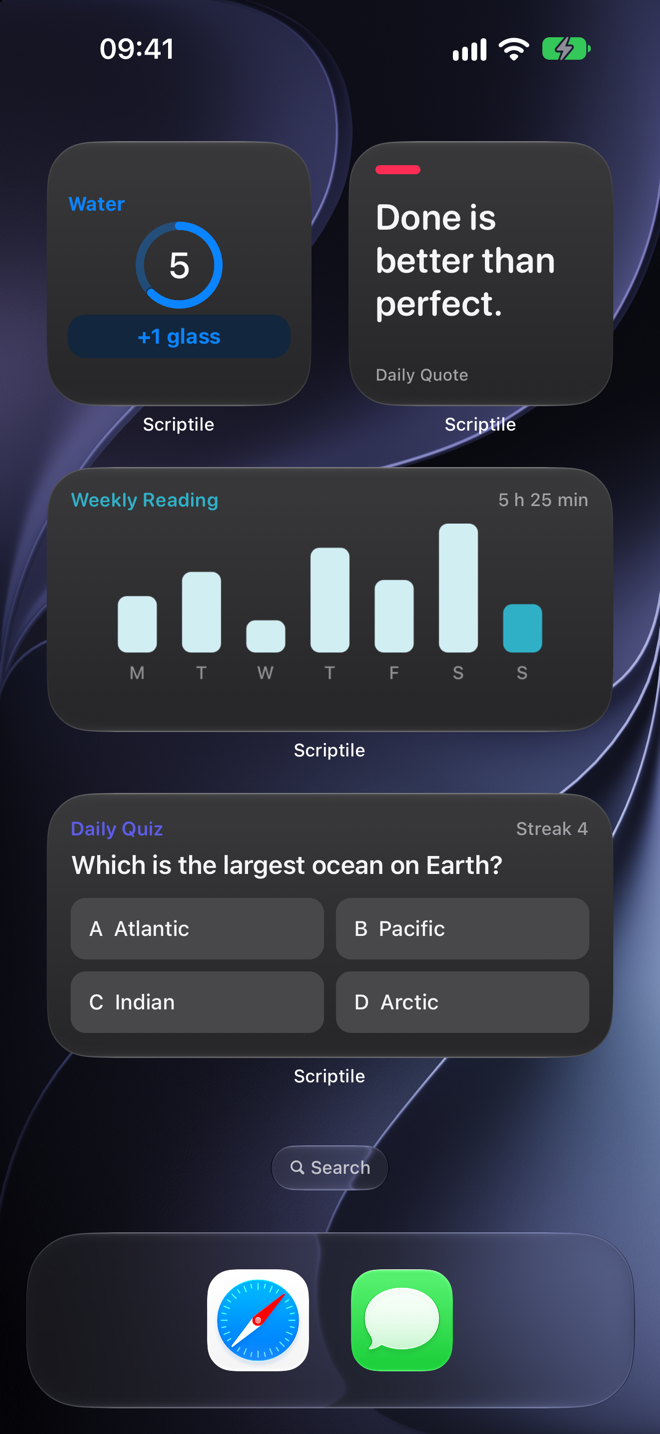
- 主畫面和鎖定畫面小工具,所有尺寸,包括特大。
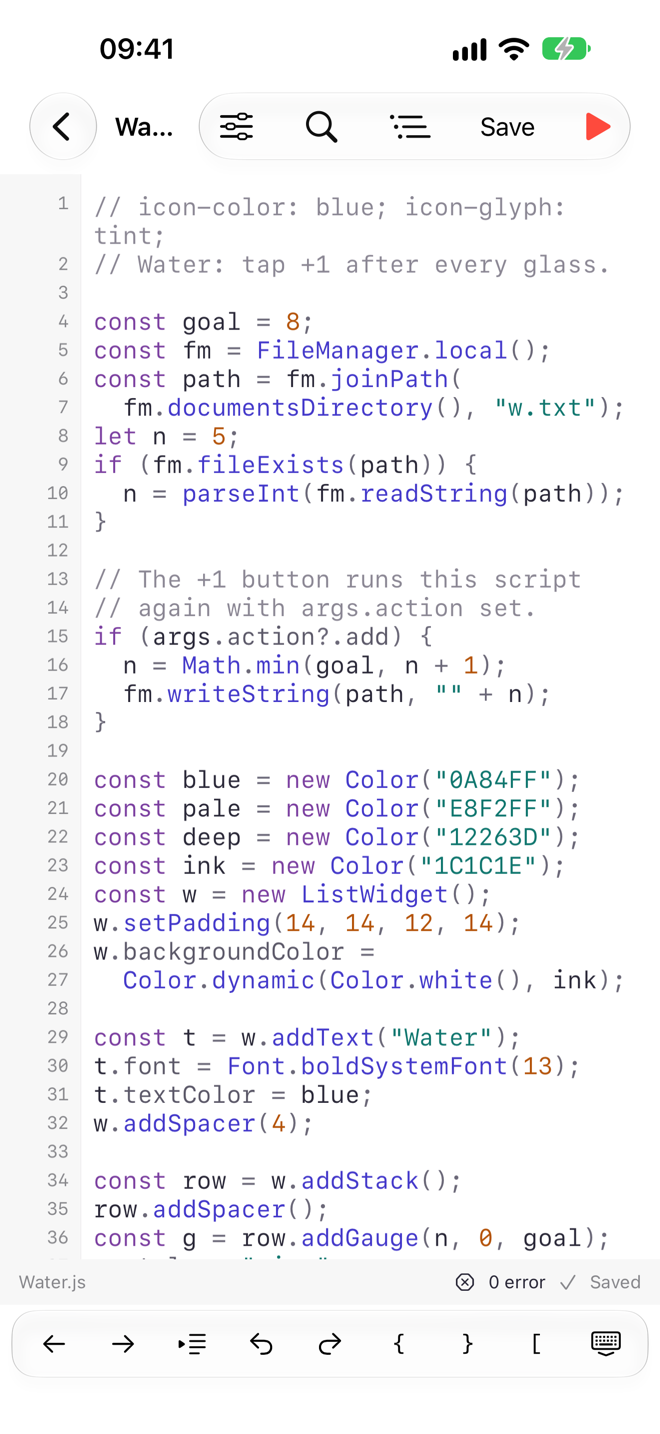
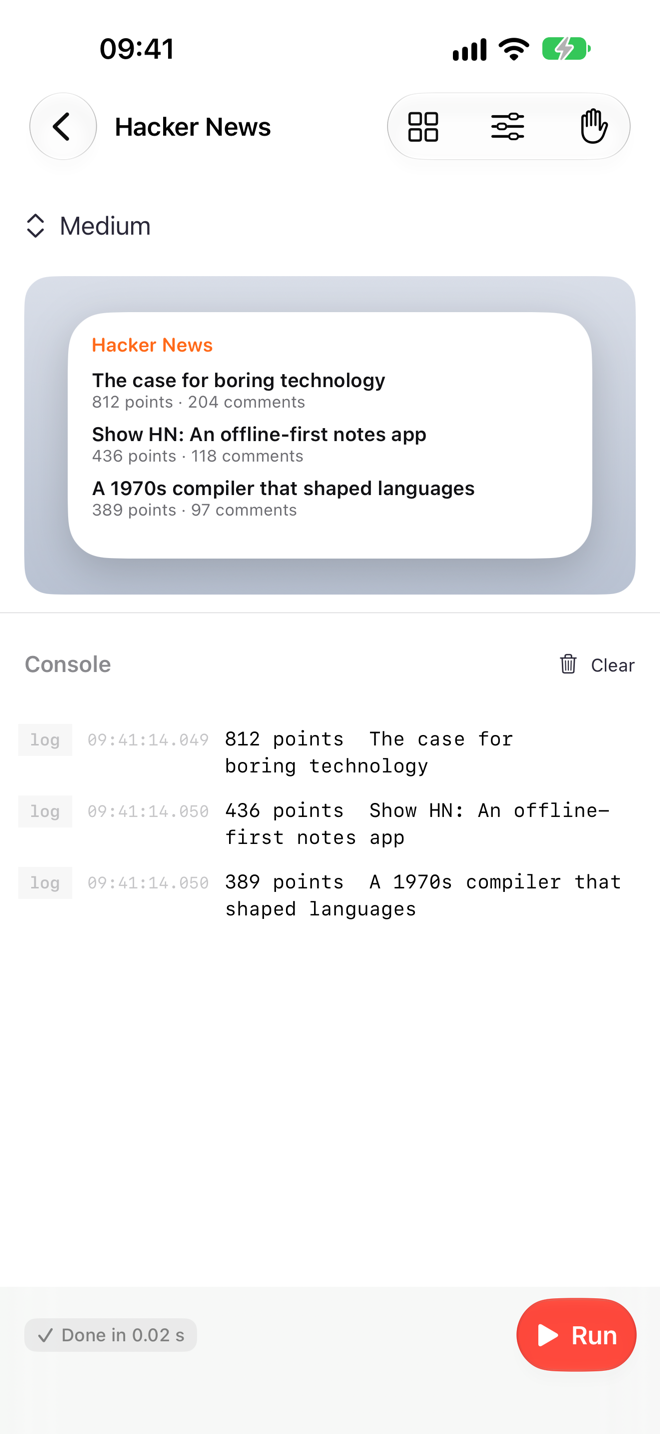
- 文字、圖片、堆疊、漸層、SF Symbols、進度環和量度計,還可以自己繪畫圖表。
- 互動按鈕:輕觸小工具即可執行腳本動作,毋須打開 app。
- 一個腳本,多個小工具:每個小工具可使用各自儲存的設定。
Widgets your way
- Home Screen and Lock Screen widgets in every size, including extra large.
- Text, images, stacks, gradients, SF Symbols, progress rings and gauges, and charts you draw yourself.
- Interactive buttons: tap a widget to run a script action without opening the app.
- One script, many widgets: each placed widget can use its own saved setup.
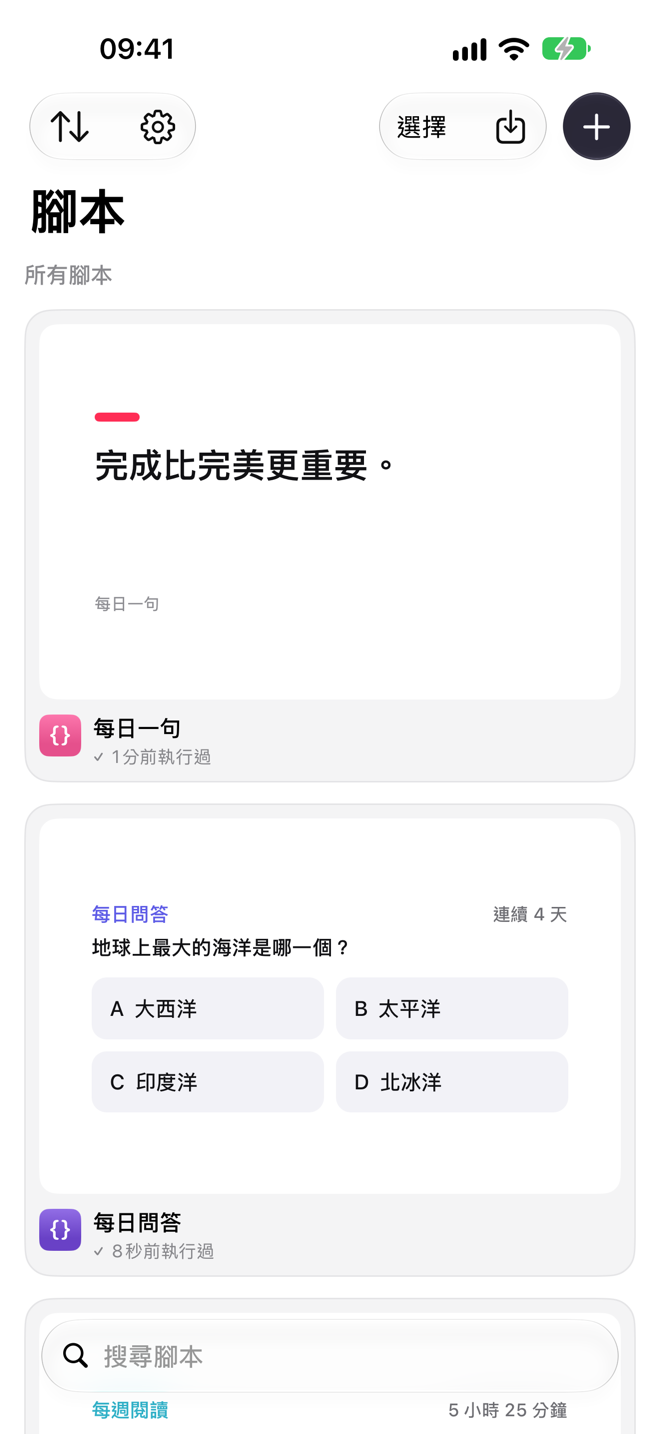
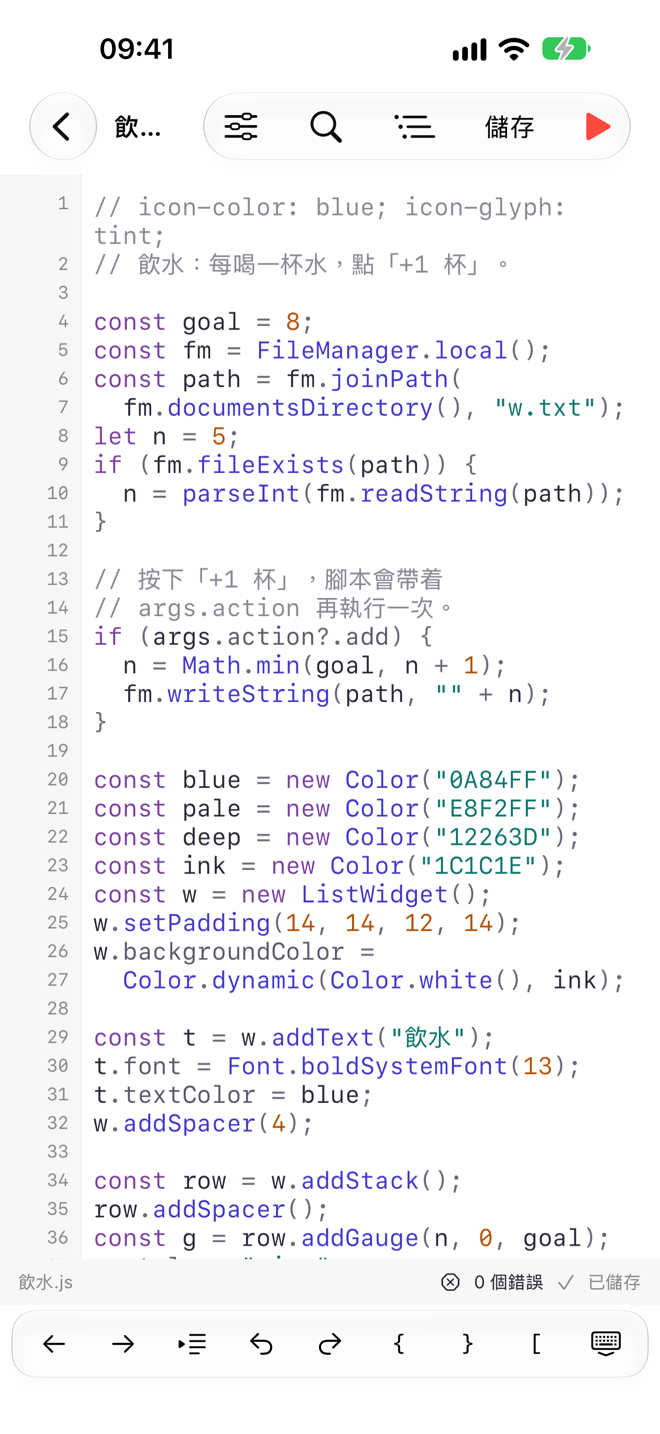
iPhone 上真正的編輯器
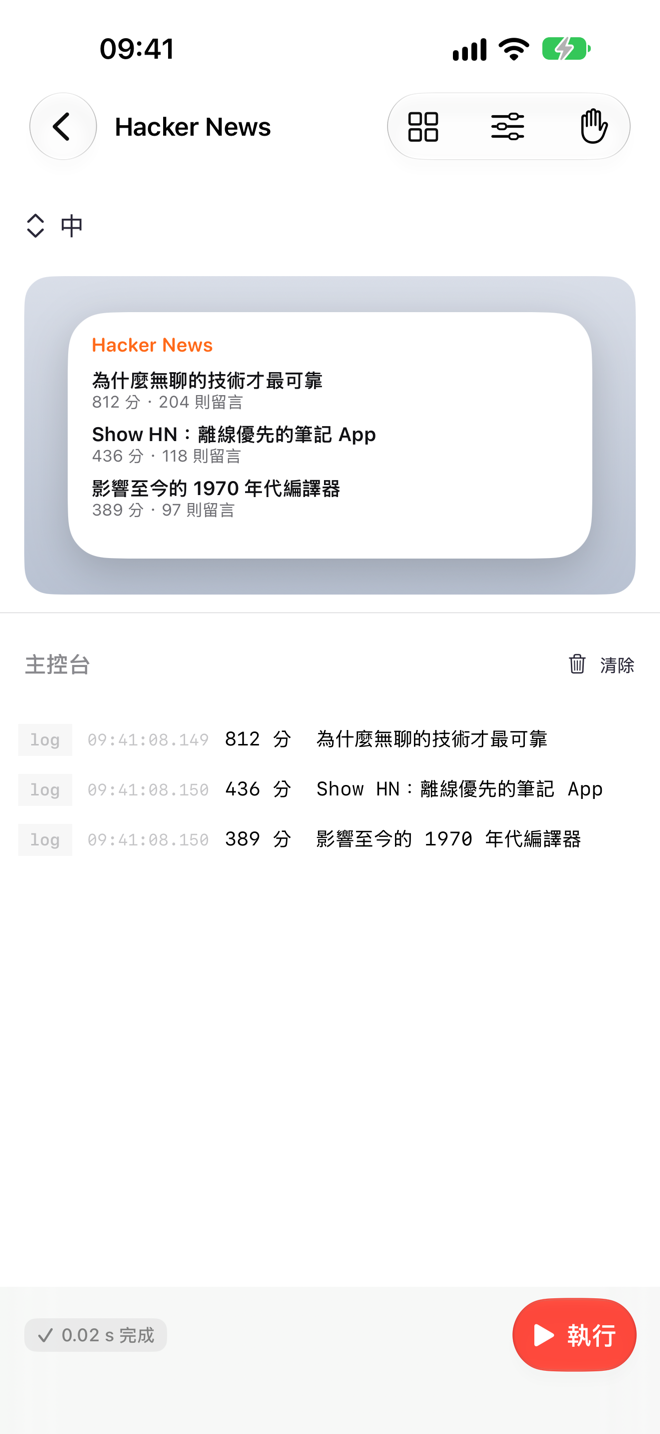
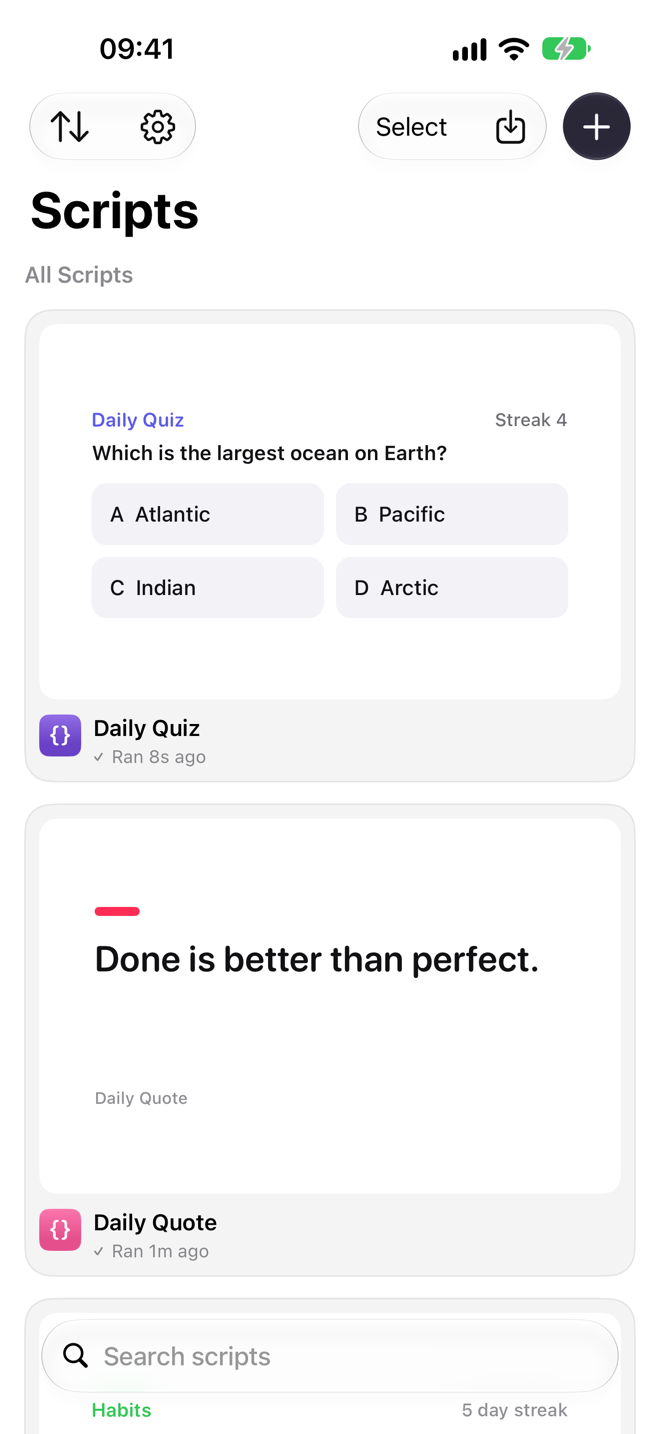
- 語法顏色、尋找和取代、符號列及即時主控台。
- 加到主畫面前,先預覽每個小工具尺寸。
- 用
importModule把程式碼分成模組,在不同腳本重用。 - 腳本是「檔案」app 和 iCloud 雲碟中的普通 .js 檔案,亦可在 Mac 上編輯。
A real editor on iPhone
- Syntax highlighting, find and replace, a symbol bar and a live console.
- Preview every widget size before you add it to your Home Screen.
- Split code into modules with
importModuleand reuse them across scripts. - Scripts are plain .js files in Files and iCloud Drive, so you can edit them on your Mac too.
不止小工具
- 製作在 app 內執行的小工具程式:表格、選單、提示、表單、網頁檢視,以及檔案和相片選擇器。
- 在「捷徑」中執行任何腳本,傳入資料,再傳回文字、圖片或資料。
- 程式碼比一長串「捷徑」方塊更易閱讀、修改和重用。
More than widgets
- Build small tools that run in the app: tables, menus, alerts, forms, web views, and file and photo pickers.
- Run any script from Shortcuts. Pass in input and return text, images or data.
- Code is easier to read, change and reuse than a long chain of Shortcuts blocks.
一切由你控制
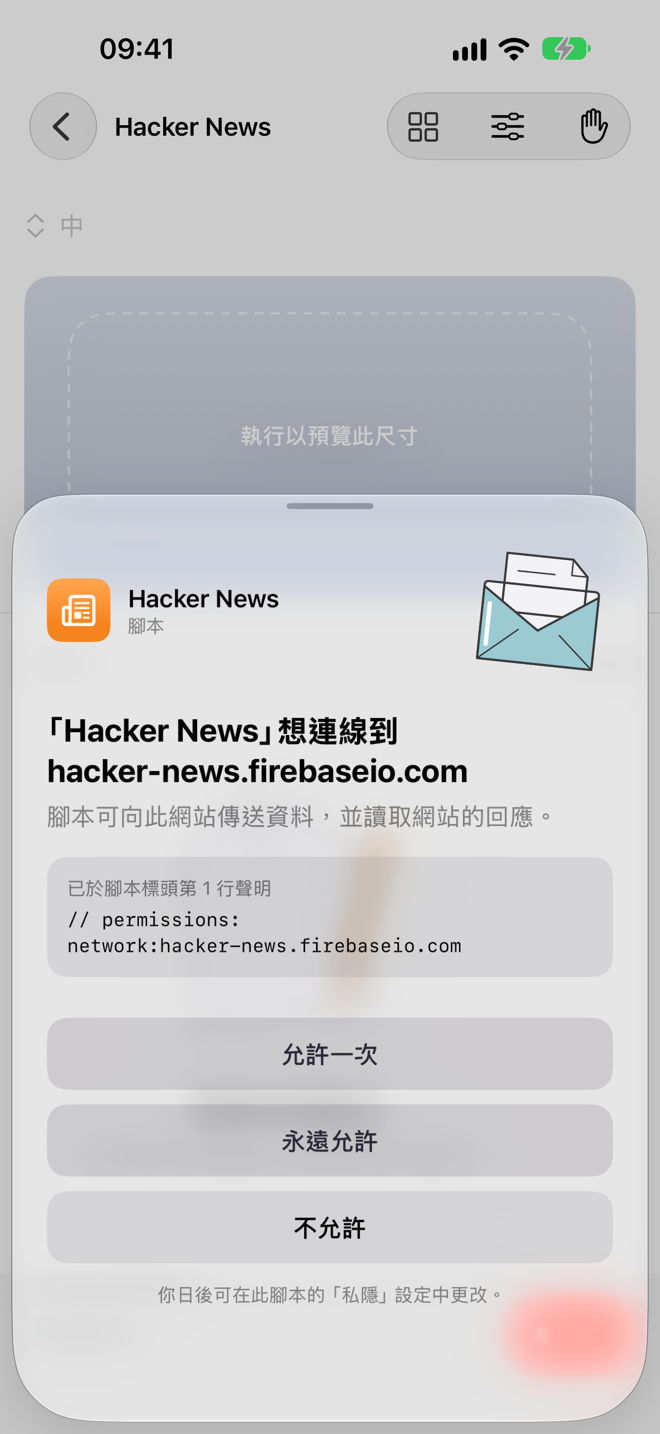
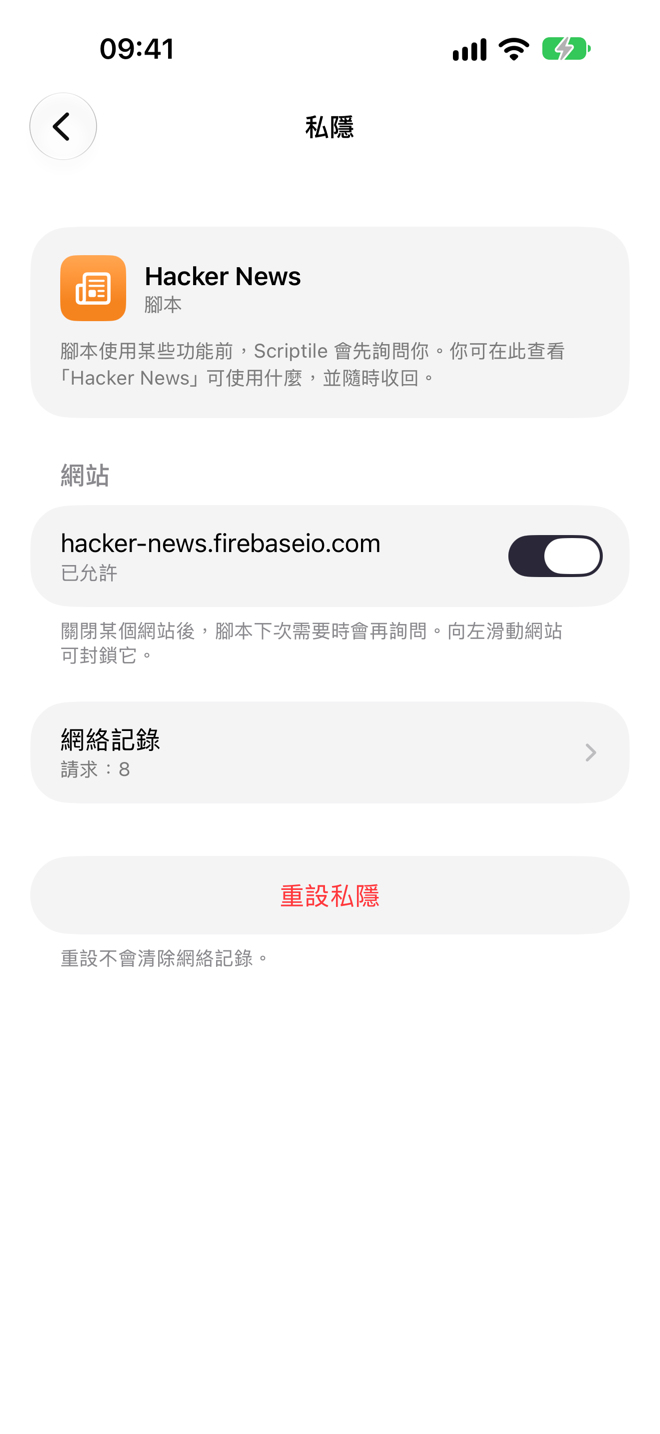
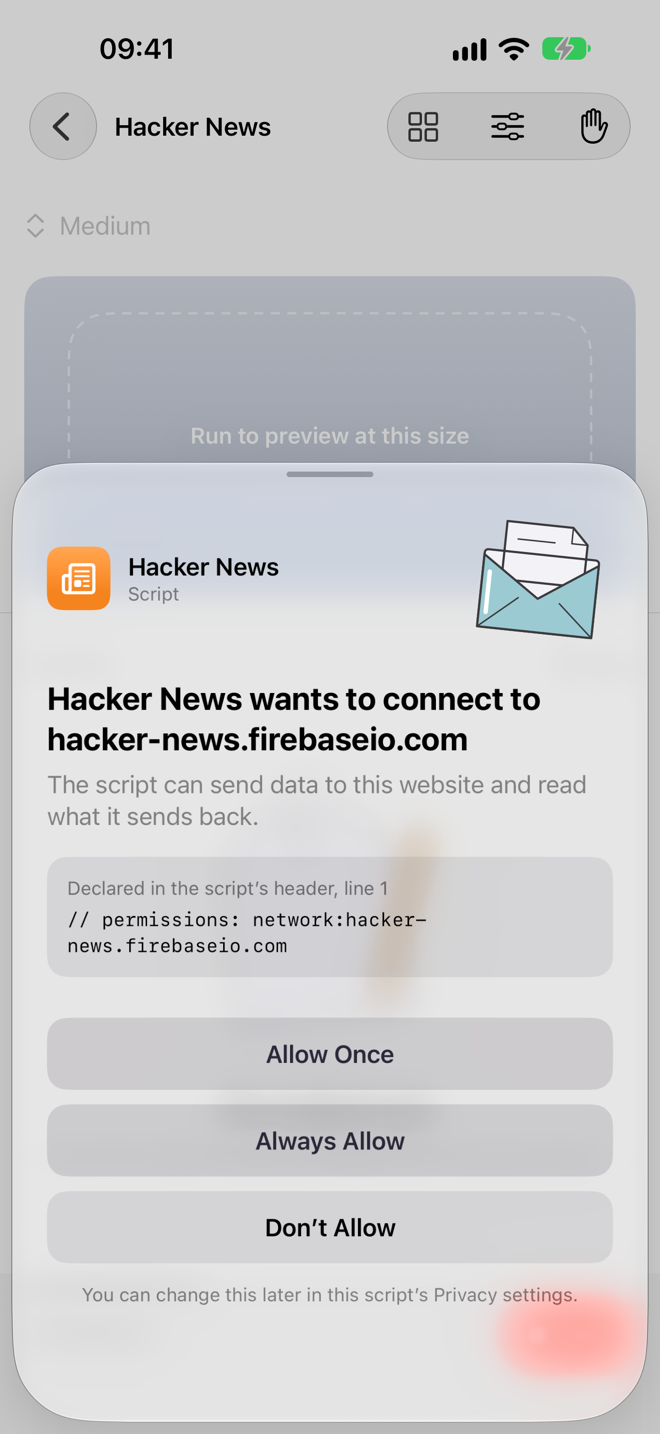
- 每個腳本使用網絡、位置、通知或其他裝置功能前,都會先詢問你。
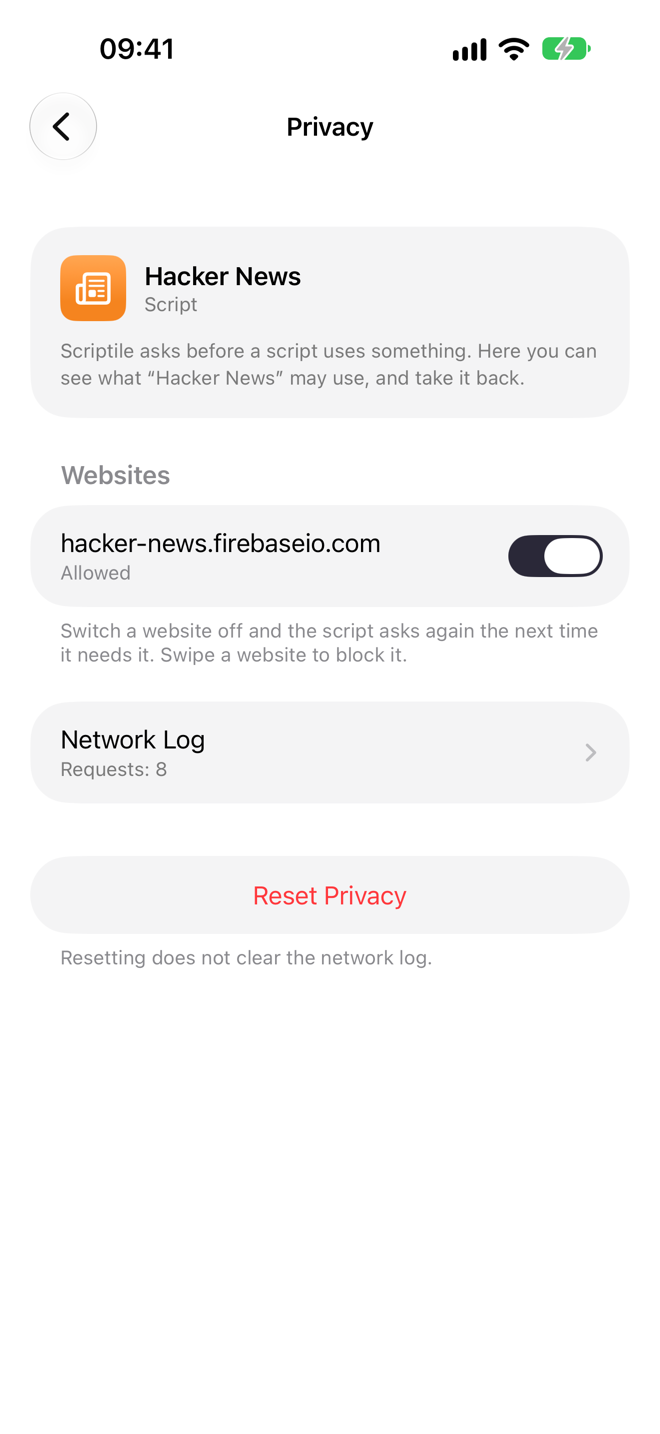
- 逐個網站批准,在腳本的網絡記錄查看每個請求,隨時收回權限。
- 密碼等機密資料存放在鑰匙圈,每個腳本各自分開。
You stay in control
- Each script asks before it uses the network, location, notifications or other device features.
- Allow websites one by one, see every request in the script’s network log, and take access back at any time.
- Secrets go in the Keychain, kept separate for each script.
已經在 iPhone 上用 JavaScript 寫小工具?你會對這套 API 感到熟悉:ListWidget、WidgetStack、Request、DrawContext、FileManager 等等。
使用小工具前,請先在 app 執行一次腳本並授予所需權限。小工具更新時間由 iOS 排程決定。需要 iOS 26 或以上版本。
Already write JavaScript widgets on iPhone? The API will feel familiar: ListWidget, WidgetStack, Request, DrawContext, FileManager and more.
Run a script in the app once to grant the permissions it needs before using its widget. Widget updates follow iOS scheduling. Requires iOS 26 or later.
Private by design
Scripts run on your device. No Scriptile account, no developer server, no analytics. Scripts that use online data connect directly to the services you allow, which handle requests under their own privacy policies.